
Your data,
wherever it lives
CRM, spreadsheet, warehouse: commission data is scattered, and we're not going to pretend yours is tidy. Connect what you have: Salesforce and HubSpot sync directly, CSVs map themselves with AI, and the output lands in your payroll provider's format.
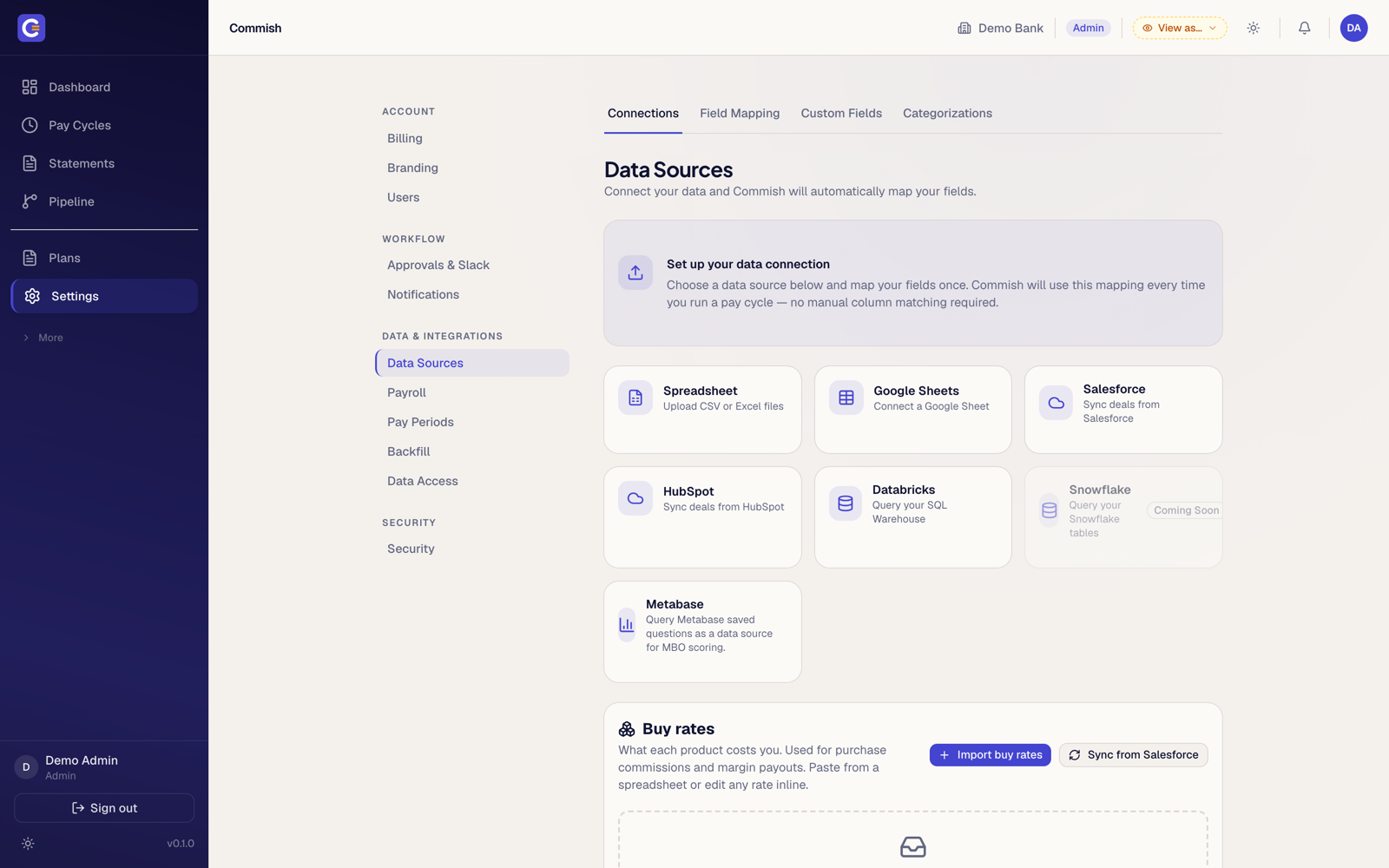
Connect once, map once
Point Commish at your deal data and tell it once which column means what. The AI mapper reads your headers and does most of that for you. From then on, every pay cycle pulls automatically. No re-uploading, no manual column matching, no “final_v3_FINAL.csv”.
From approved run to payroll file
An approved cycle exports in your payroll provider's format, ADP included, so validated commissions land in the pay system without anyone retyping numbers. The step where spreadsheet comp traditionally goes wrong is the step that no longer involves hands.
The catalog is smaller than theirs
The big platforms list 30+ connectors; we don't. What we cover (Salesforce, HubSpot, spreadsheets, warehouse exports, payroll out) is what mid-market commission actually runs on, and each one is first-class rather than a checkbox. Need something we don't have? Ask. The roadmap is short and the team reads its own email.

Bring the messy CSV.
We've seen worse
Connect your CRM or drop a file. The mapper does the tedious part.
Screenshots show a demo organisation with illustrative data.